No more
“disable ad blocker to continue.”
QuietShield brings Brave's ad-blocking engine to Chrome. It removes ads, trackers and cookie banners, and is built to stay out of a website's sight.
Brave's blocker, without switching browsers.
The same engine and filter lists Brave Shields uses, rebuilt for Chrome's extension platform and tested side by side against Brave.
Brave's ad-blocking engine
Powered by adblock-rust, the engine behind Brave Shields, with EasyList, EasyPrivacy, uBlock Origin filters and Brave's own lists.
Hard to detect
Anti-adblock fixes run before the page's own scripts, and hiding rules live where websites can't read them.
Fast by design
Rules are compiled ahead of time and run inside Chrome itself, so pages load lighter, not slower.
You're in control
Standard keeps sites working; Aggressive blocks more. Turn QuietShield off for any site with one click.
Ready in about a minute.
QuietShield installs straight from GitHub. Three steps, no account needed.
Download and unzip
Download quietshield.zip and double-click it. You'll get a folder called quietshield.
Move it somewhere it can stay, like your Documents folder — Chrome runs QuietShield from it.
Turn on Developer mode
Open the extensions page — paste this into the address bar:
chrome://extensionsThen switch on Developer mode in the top-right corner.

Drag the folder in
Drop the quietshield folder anywhere on the Extensions page, or click Load unpacked and choose it.
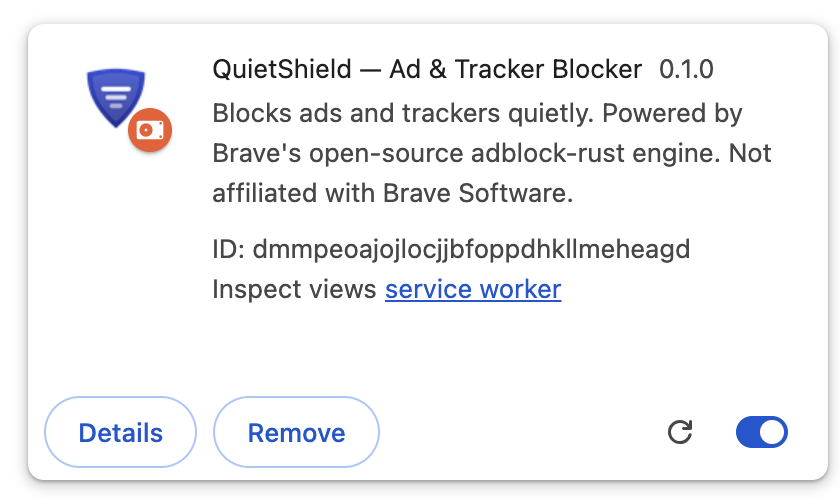
QuietShield appears in your list. Pin it from the puzzle-piece menu to keep it handy.
Good to know.
How do I update?
QuietShield checks GitHub once a day and shows a banner in its popup when a new version is out. Download it, replace the contents of your quietshield folder, then click the reload icon on the QuietShield card in chrome://extensions. Your settings are kept.
QuietShield switched itself off
Chrome sometimes disables developer-mode extensions after a browser update. Open chrome://extensions and switch QuietShield back on.
It says "Manifest file is missing"
The folder you chose is one level too high or too low. Pick the folder that directly contains manifest.json.
A site looks broken
Click the QuietShield icon, turn off Shields up for this site, and reload the page.
What data does QuietShield collect?
None. All filtering happens on your device. The only request it makes is the daily update check to GitHub, which you can turn off in the popup. Read the privacy policy.